

FT-Control app icon

FT-Control for Yaesu

Your Yaesu radio on your Mac, iPad and iPhone

The spectrum scope, waterfall and all controls of your FTdx101 (D or MP), FTdx10 or FT-710. Through Yaesu's SCU-LAN10 at home over your network, or from anywhere over the internet, with no Windows PC.

Download FT-Control for Mac on the Mac App Store

For your Mac

Download FT-Control for iPad and iPhone on the App Store

For your iPad and iPhone

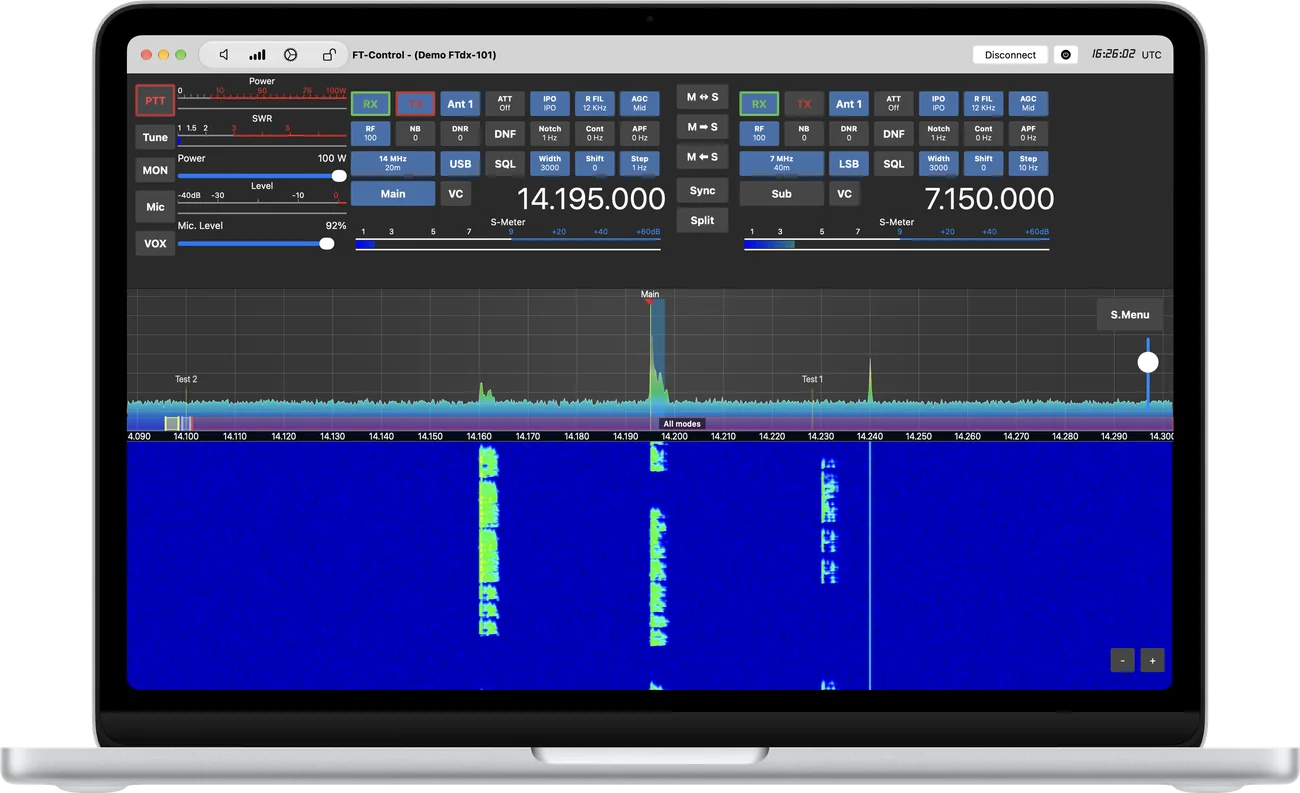
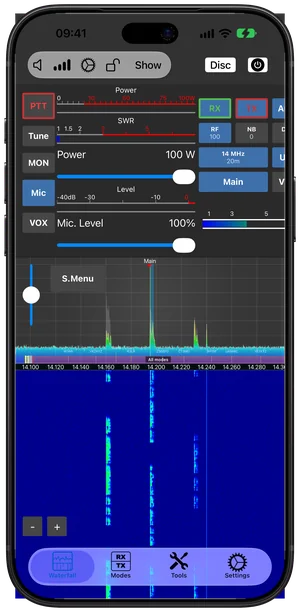
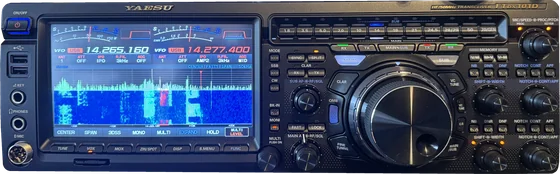
FT-Control on a MacBook: the radio's controls, spectrum scope and waterfall on 20 m FT-Control on the iPhone: spectrum scope, waterfall and the VFO Yaesu FTdx101D transceiver

Why FT-Control

Mac, iPad and iPhone
Your Yaesu radio on every Apple device you own, with one logbook shared over iCloud.
Remote without a Windows PC
Through Yaesu's SCU-LAN10, at home and over the internet, right from your Mac, iPad and iPhone.
Everything built in
FT8-Improved, JS8, CW, SSTV, HF-Fax, APRS, WSPR and Speech, with no extra programs or virtual audio cables.
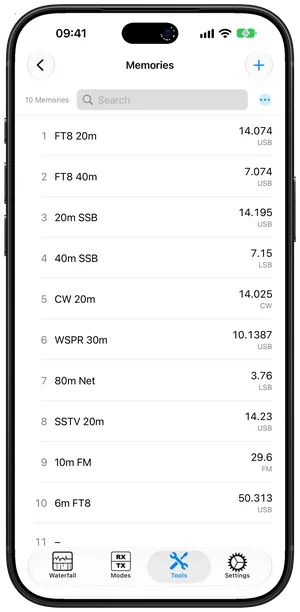
The radio's memories
See, edit and recall the radio's memories, right from the app.
Your whole shack
MIDI controllers, your own paddle, Ultra Beam antennas, rotators and relay boards.
Updates and personal support
Frequent free updates (see the version history), no subscription, and the developer answers your questions himself.

Highlights

Your shack, anywhere

FT-Control connects to your radio through Yaesu's SCU-LAN10 network interface: at home over Wi-Fi or your network cable, and from anywhere over the internet, with a few settings in your router, explained step by step in the manual. No Windows PC and no extra software on either end.

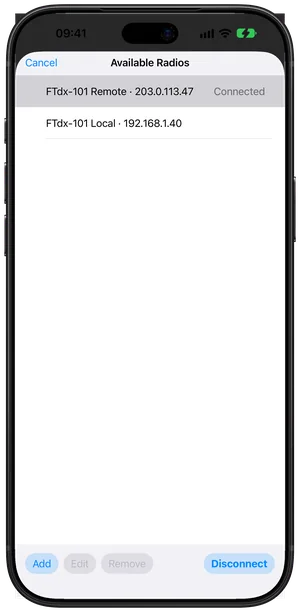
FT-Control on the iPad: spectrum scope, waterfall and the radio's controls FT-Control on the iPhone: the radio list with a radio at home and one reached over the internet

Both receivers at once FTdx101

Switch on Dual Scope in S.Menu, and FT-Control shows both receivers of the FTdx101 side by side, each with its own scope and waterfall, also on two different bands. Main and Sub VFO are right above.

FT-Control on the Mac with Dual Scope: the FTdx101's Main receiver on 20 m and its Sub receiver on 15 m, side by side

The radio's memories

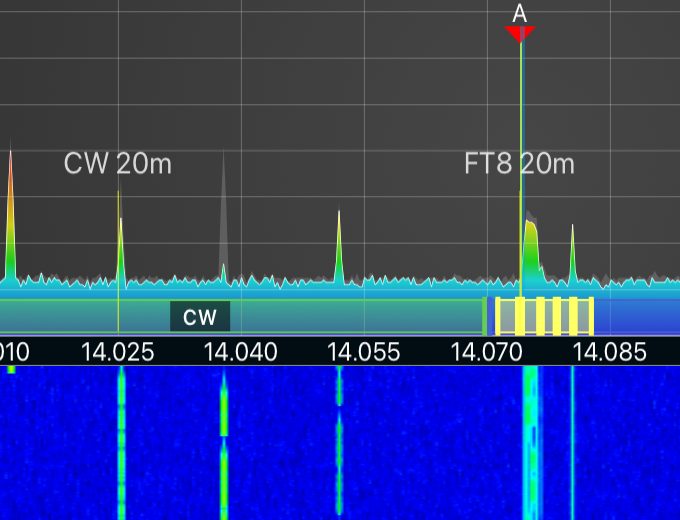
The radio's memories show up as spots with their names right on the panadapter. The memory panel steps through them and writes or clears them, and the list shows them all with names, frequencies and modes.

The memory list on the iPhone: channels with names, frequencies and modes Memory spots on the panadapter: CW 20m and FT8 20m at their frequencies

FT8-Improved

The new FT8 with Auto Answer and Auto CQ, and finished QSOs go straight into the logbook. The classic FT8 is included too, for systems before macOS 26 and iOS 26.

FT8-Improved on the Mac: decoded stations with their countries and a finished QSO

Talk across languages

Speech writes the incoming voice as text and translates it into your language. Type your answer, and FT-Control sends it as speech.

Needs macOS 26 or iOS 26.

Speech mode on the iPad: an English call transcribed and translated into German, and the answer to send

CW, JS8 and more modes

Decode CW and send it with the keyer, macros or the CW keyboard. Or use your own paddle: through HaliKey MIDI or another MIDI interface on Mac, iPad and iPhone, and on the Mac also through a USB keying cable. JS8 keyboard chat and WSPR are included as well.

CW window on the Mac: a decoded QSO with the callsigns marked, the send line and the macro buttons JS8 on the iPhone: a keyboard chat with DL7LTM in chat bubbles

Pictures from the air: SSTV and HF-Fax

Receive SSTV pictures, for example from the ISS, and send your own in all common modes. The sender's call sign is shown. HF-Fax receives weather maps from stations such as the German weather service. Pictures can be saved automatically: into Photos on iPad and iPhone, into the Downloads folder on the Mac.

SSTV on the Mac: a received PD120 picture of the ISS for World Space Week 2025 HF-Fax on the iPhone: a weather map from the German weather service on 7880 kHz

APRS and packet radio

Receive APRS positions, messages, weather and status reports, grouped and filtered as you like, and see the stations on a map. Send your position, status and messages, also automatically. Connected mode (AX.25) opens real sessions to a BBS, a node or a Winlink RMS.

APRS on the iPad: the packet list and a connected-mode session with the DB0FBB BBS

Works with WSJT-X and fldigi Mac

The built-in radio server speaks rigctld (Hamlib) and Kenwood. The radio's audio runs through the Common-Radio audio driver, so you don't need a loopback driver. Only in the Mac app.

Radio Server window on the Mac: Radio Server 1 as rigctld (Hamlib)

Logbook

Every QSO in one place, on all your devices. Confirmed QSOs are marked green, and the map shows the grid squares you have worked.

Logbook on the Mac: the QSO list, with confirmed QSOs on a green background Logbook map on the iPad with the worked grid squares
  • Automatic logging from FT8 and the other modes
  • "Worked before" right when you enter a call
  • Call Lookup, duplicate search
  • ADIF import and export
  • Log upload to LoTW, QRZ.com, ClubLog, eQSL, Cloudlog and Wavelog Mac
  • Confirmed QSOs marked green
  • Map of the worked grid squares
  • QSOs sent over UDP to other software
  • Synced over iCloud between your Mac, iPad and iPhone

Controllers

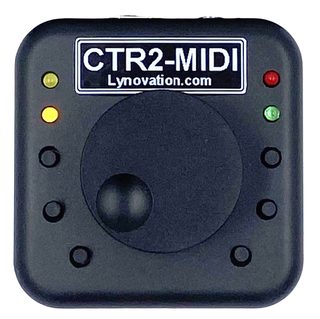
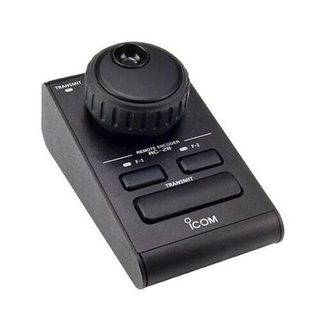
Prefer a real knob? FT-Control works with hardware controllers, over USB on the Mac and over USB or Bluetooth on iPad and iPhone.

CTR2-MIDI controller with tuning knob and buttons
CTR2
Icom RC-28 remote encoder
RC-28 Mac
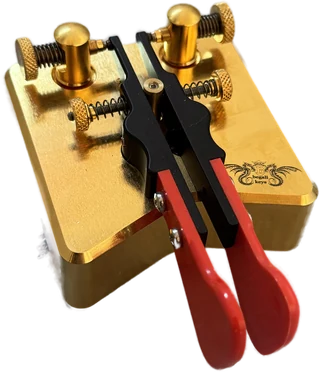
A Begali iambic paddle with red finger pieces
Your own paddle
Behringer CMD Micro DJ controller with two jog wheels
MIDI controllers, e.g. Behringer CMD Micro or DJ2GO2
  • MIDI controllers and CTR2, with your own button mapping
  • Your own paddle, through HaliKey MIDI or another MIDI interface
  • RC-28, FlexControl Mac
  • Keyboard keys, and a paddle over a USB keying cable Mac
  • Flic buttons, Pryme PTT iPad, iPhone

Everything on board

The radio's controls on a big screen, plus modes and tools for the whole shack.

Radio

  • Spectrum scope and waterfall, with the band plan
  • Main and Sub VFO, both receivers' scopes on the FTdx101, filters, IPO, attenuator, NB, DNR, DNF, notch, AGC
  • Memories, memory panel
  • Tuning, PTT, Tune Stack, RIT / ∆TX, DTMF
  • CW panel iPad, iPhone
  • Macros and Command Bar
  • Your iPhone or iPad as microphone and speaker

Modes

  • FT8-Improved and classic FT8
  • JS8
  • CW with decoder and keyer
  • Speech: transcribe and translate
  • SSTV, HF-Fax
  • APRS, WSPR
  • RTTY, PSK

Tools

  • Logbook, Call Lookup
  • DX Cluster with alerts, POTA, PSK Reporter
  • Band Plan, Frequency List
  • CW, voice and speech macros
  • Command Bar, Network Stats
  • S.A.T. with Doppler correction Mac, iPad
  • Genius devices, Ultra Beam, Metropwr, Green Heron, Waveshare

FT8-Improved, JS8, Speech and WSPR need macOS 26 or iOS 26.

What's new

Mac Version 27.0.16

  • SCU-LAN Port in the radio's settings, for port forwarding
  • A clear message when the SCU-LAN doesn't open the connection
  • FT8-Improved: more room for the RX and TX frequency fields
  • New look for the tools, with the same screens as on iPad and iPhone
  • New CW window: decoder and sending with ESM (Enter Sends Message)

iPad and iPhone Version 27.0.17

  • New: long press on the Mic button for the radio's Parametric MIC EQ, Speech Processor and processor level
  • Fixed: after launch the Lock button showed open while the controls were still locked
  • CW: the Spot tone is louder, plays for 30 seconds and keeps playing when you leave the CW screen
  • DX Cluster: Max. Spot age 10 Min. and 1 Hour no longer remove all spots west of UTC (for example in the US)
  • Controllers: Test LED in the mapping editor for MIDI, CTR2 and CTR2 Dial

Full version history

Yaesu FTdx101D transceiver

Supported radios

Each radio connected to a Yaesu SCU-LAN10, which is needed both at home and for remote access. A USB cable connection is not supported.

FTdx101D, FTdx101MP, FTdx10 and FT-710.

Made by a ham

FT-Control is made by Marcus Roskosch, DL8MRE, who has been developing apps for Apple devices since 2009 and works on FT-Control with the supported radios on his own desk. Personal support and a detailed manual are included. Updates with new modes and features are free: no subscription, no in-app purchases.

Questions and answers

I bought FT-Control. Can I use it on my other devices?

Yes, on every device signed in with the same Apple Account, without paying again. FT-Control is two apps: one for the Mac, and one for iPad and iPhone together. Each is bought separately.

I have more than one Yaesu radio. Can I use FT-Control with all of them?

Yes, if they are supported. FT-Control works with several radios and controls one at a time.

Why are only certain radios supported?

The app needs radios that send their spectrum scope data and can be fully controlled over the network. And only radios the developer owns are supported, so each one is developed and tested on a real radio, and support can answer your questions on the same model.

Why are the FT-991 and the FTX-1 not supported?

They have no connection for Yaesu's SCU-LAN interface, which FT-Control needs. Yaesu added SCU-LAN support to the FT-710 later, so it may come for these radios too.

Can I use WSJT-X, fldigi or other software along with FT-Control?

On the Mac, yes. FT-Control has a built-in radio server (rigctld / Hamlib, Kenwood) and sends the radio's audio through the Common-Radio audio driver. The iPad and iPhone app has no radio server.

How hard is the setup?

At home, you enter the radio's network address and its access data in the app. The manual explains every step with pictures, including the router settings for use over the internet.

What if something doesn't work?

First look at the "Common Issues" chapter in the manual. If that doesn't help, contact support: the developer answers personally.

Get FT-Control

Download FT-Control for Mac on the Mac App Store

For your Mac

Download FT-Control for iPad and iPhone on the App Store

For your iPad and iPhone

Requirements

  • Radio: a Yaesu FTdx101D, FTdx101MP, FTdx10 or FT-710 with a Yaesu SCU-LAN10
  • Mac: macOS 15 or later, Apple silicon or Intel
  • iPad and iPhone: iOS 18 or later
  • At home: the radio's SCU-LAN10 on your network (LAN or Wi-Fi)
  • Away from home: access to your home network from outside (router settings, see the manual)