

SmartSDR for FlexRadio
Mac · iPad · iPhone
The official FlexRadio client for FLEX-6000, FLEX-8000 and Aurora radios, with SmartLink.

For Mac

For iPad and iPhone
Mac · iPad · iPhone
Apps for your radio on Mac, iPad and iPhone
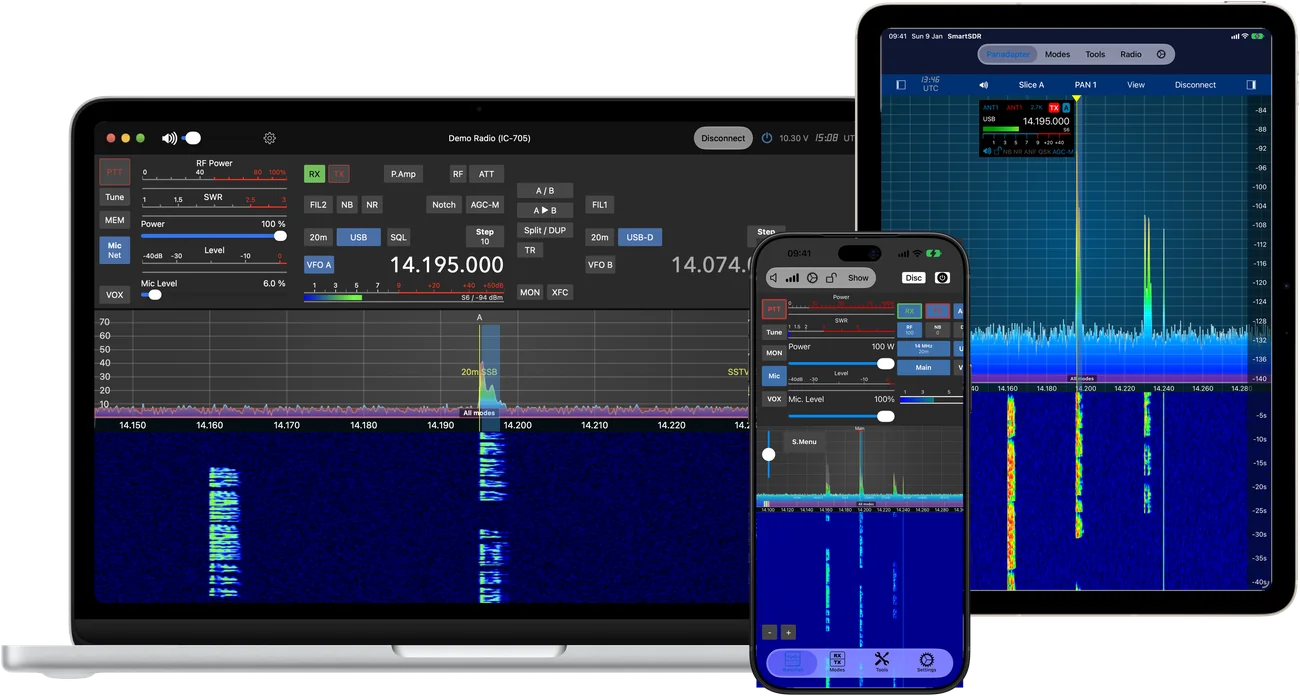





The radio apps share their modes and tools, so they all work the same way. Pick the app for your radio and get all of this with it.
FT8 and FT4 in every app. No cables, no audio drivers, no extra software: open FT8 and make QSOs.
Auto-logging, ADIF import and export, call lookup and a map of your QSOs. Synced over iCloud between your devices.
Send and decode CW at home, on the road or remote over the internet. Your own paddle works too.
SSTV, HF-Fax, APRS, JS8, WSPR and Speech, which turns voice into text. RTTY and PSK on the Mac.
If you want knobs: USB, Bluetooth and MIDI controllers work with every app, mapped as you like.
DX Cluster, POTA, PSK Reporter, band plan, memories, macros, the Command Bar, 4O3A Genius, Ultra Beam and more.
Operate your radio from anywhere, not just at home, without a PC running at the radio.
Native apps for each platform. The same radio, the same logbook, wherever you are.
New modes and features come as free updates. No subscription, no in-app purchases.
Some features need macOS or iOS 26, and some are not on every platform or radio. Compare all features
One app per radio brand, each with everything above. SDR-Receiver and AOR Scanner are receiver apps with features of their own.
Mac · iPad · iPhone
The official FlexRadio client for FLEX-6000, FLEX-8000 and Aurora radios, with SmartLink.
For Mac
For iPad and iPhone

Mac · iPad · iPhone
For the IC-705, IC-7610, IC-7760, IC-9700, IC-7300 MK2 and IC-R8600.
For Mac
For iPad
For iPhone

Mac · iPad · iPhone
For the FTdx101 (D or MP), FTdx10 and FT-710, through Yaesu's SCU-LAN10.
For Mac
For iPad and iPhone

Mac · iPad · iPhone
For the Kenwood TS-890S, through the radio's own network access.
For Mac
For iPad and iPhone

Mac · iPad · iPhone
For the Elecraft K4, K4D and K4HD, with both receivers and panadapters.
For Mac
For iPad and iPhone

Mac
For USB software-defined radios: RTL-SDR, HackRF, Airspy, Perseus and more. Spectrum, listening and 25+ decoders.
For Mac

Windows
For the AOR AR-DV1 scanner: VFOs with band scopes, memories, search banks and band plans. Ordered by e-mail.
More about AOR Scanner
Mac · iPad · iPhone
Electronics reference and calculators for engineers, students, hobbyists and hams.
Mac, iPad and iPhone

Mac · iPad · iPhone
Calculators and references for radio amateurs, in one universal app.
Mac, iPad and iPhone
We are Marcus Roskosch, DL8MRE, and Jan Roskosch: a small developer team from Germany. Marcus has been making apps for Apple devices since 2009 and uses the radio apps every day in his own shack. Jan makes Electronic-Toolbox 2 and HAM-Toolbox and works on the code the apps share.
There is no call centre in between: when you write to us, we answer ourselves.
Questions or ideas? Write to us, we answer ourselves.
Support for an app: please use Contact Support inside the app: in the Settings tab on iPad and iPhone, in the Help menu on the Mac. If you can't, write to:
help@ham-radio-apps.com.
Many questions are answered in the manual. It opens in the app (Settings or Help menu) and is on this site.