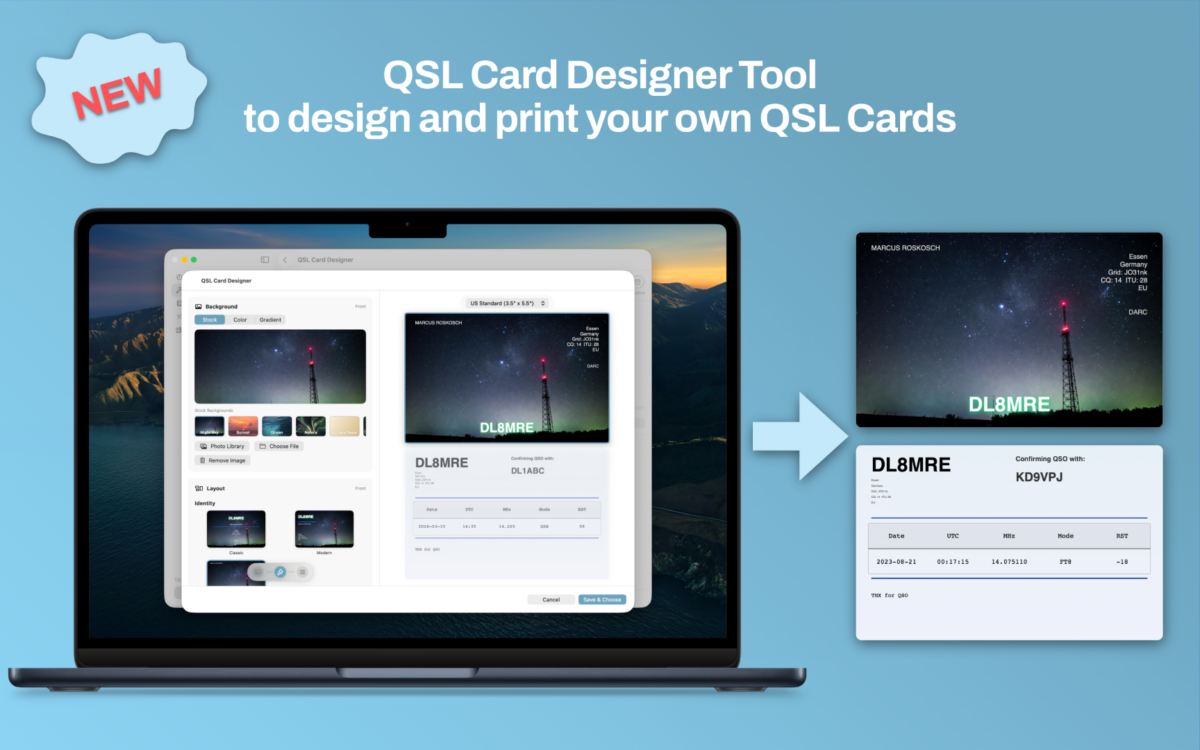
Paper QSL cards are one of the things that make this hobby special. There is a real difference between receiving a confirmation in an online logbook and pulling a beautifully designed card out of the mailbox.
The trouble is that designing, filling in and printing those cards has always been more work than it should be. Generic design tools do not understand QSOs, and logbook apps rarely understand design. With version 1.9 of HAM-Toolbox, I wanted to close that gap with a tool that takes you all the way from an empty card to a printed batch — without ever leaving the app.
Say hello to the new QSL Card Designer and Print Tool.
A guided workflow from card to mailbox
The designer is built around a simple four-step wizard:
- Card — pick one of your saved designs or create a new one from scratch.
- QSOs — choose which contacts from your logbook the card should confirm.
- Print — export or print your cards in the format you need.
- Archive — keep a clean record of everything you have already sent out.
Each step takes care of one specific job, so you always know where you are in the process and what is left to do.
A real design tool, built for QSLs
The editor lets you change templates, backgrounds, colors and station info with live feedback on a proper card preview, front and back. Your station details are automatically pulled in from your HAM-Toolbox settings, so a new card is never truly blank — it already knows who you are.
Designs are stored in iCloud, so the card you create on the Mac is immediately available on your iPad and iPhone, and vice versa. You can keep a whole gallery of cards for different activations, contests or special events and switch between them per batch.
Straight from the logbook
QSL printing only makes sense if it is tightly connected to your log. That is why the designer is deeply integrated into the HAM-Toolbox logbook.
Select one or several QSOs, open the context menu, and send them directly to the QSL Card Designer. Your contacts are pre-selected, the station info is filled in, and you are ready to pick a card design and print. No copy-pasting, no exporting, no fiddling with CSV files.
Batch printing and a proper archive
For bureau shipments and events, being able to print efficiently is just as important as the design itself. The tool supports batch exports in common paper layouts, so you can confirm a whole stack of QSOs in one go and print on the stationery you already use.
Once a batch is done, it goes into the Archive. You can always look back and see which cards went out, to whom, and when — a small but important detail that keeps your QSL workflow honest.
Coming next: QSL by email
Paper cards are wonderful, but not every QSO partner is set up for bureau or direct mail. That is why the next step for the QSL Card Designer is a direct email integration: send your finished card straight to your QSO partner as an email, right from the app. Combined with the existing QRZ.com call lookup, HAM-Toolbox will pick up your partner’s email address automatically whenever it is published on their QRZ page — so confirming a contact can be as quick as designing the card and hitting send. Stay tuned for this update!
Why this matters to me
QSL cards are a piece of ham radio culture I genuinely care about. With this release, I hope HAM-Toolbox becomes a place where that culture is actively encouraged: design your own cards, send them out for your QSOs, and keep a proper record along the way.
The QSL Card Designer and Print Tool is available now as part of HAM-Toolbox 1.9, together with new logbook QSL printing options and a number of DX Cluster fixes.
I cannot wait to see the cards you create.
73,
Jan Roskosch